


magicApp Calling & Messaging
4.238.15K Reviews
App Specs
- Version
- 5.3.19-9f6d56e
- Updated On
- License
- Free
- Downloads
- 10,000,000+
- Developer
- MAGICJACK VOIP SERVICES, LLC
- Categories
- Communication
- Platform
- Android
Screenshots
 Analysis by AppCompare
I’d approach magicApp as a way to carry a magicJack number on a mobile device, rather than as a universal replacement for every phone service. That distinction matters: it is most useful when you already rely on that number or want a separate route for calls and messages. If you are new to it, the reassuring goal is simple—get set up, make one successful call, then decide whether it fits your everyday routine.
What to expect from a phone-number companion
magicApp Calling & Messaging is a communication app from MAGICJACK VOIP SERVICES, LLC. It is free to install, rated for Everyone, and has a 4.3 average from around 215,000 ratings. Its audience is substantial, with over 10 million installs, but popularity alone does not tell you whether it suits your needs. The key question is whether keeping a magicJack number accessible on your phone is useful to you.
This is not the same proposition as choosing a general-purpose chat app and asking everyone you know to join it. A phone number remains central to the experience, which can be handy for people who want calls and texts associated with their magicJack service. The app is free, while in-app purchases range from $0.99 to $19.99 per item, so I would check the purchase details in the app before assuming every calling option or add-on is included.
Start with the number you actually plan to use
Before installing, decide whether you are setting up a new account or connecting an existing magicJack device. That small bit of planning prevents a common first-day frustration: opening a calling app without knowing which number or service you expect it to use. The app’s purpose is to take a magicJack number with you, so people who already use one have the clearest path to a meaningful first result.
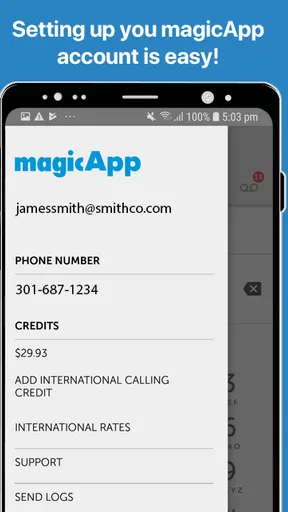
The original setup experience is described as a quick sign-up, with an email address used to create an account and an option to link a magicJack device. The current app version is 5.3.14-5fbb970, and it requires Android 6.0 or later. If you are helping a relative install it, check that their phone meets that requirement and have the relevant account details ready. That is more useful than troubleshooting the app before confirming the account you intend to connect.
For a first test, use a familiar contact and a place with a stable internet connection. Make a short call, ask the other person to confirm the number they see if caller identity matters to you, and try a text afterward. This simple sequence checks the parts you are likely to depend on without turning setup into a project. I would do it before relying on the app for an appointment, a work call, or an urgent family conversation.
Getting Started with magicApp
First things first, setting up magicApp was a breeze. You simply download it from your respective app store, and within minutes, you’re good to go. The app offers a straightforward sign-up process, letting you create an account with just your email address. Plus, if you’ve got a magicJack device, linking it is seamless, and you can start making calls almost instantly.
Worth Reading Before You Choose

EA SPORTS FC Mobile 26 Is a Bigger Football Game, but It Takes Time

Flipboard Shows What News Apps Must Do Beyond the Feed

Switching to Android Auto Means Rethinking Your Driving Routine

Google Calendar Makes a Crowded Week Easier to Manage

Ludo King Makes the Most of the Minutes Between Plans

Baby Panda World Brings Quick Play to Modern Phones, but Its Game Library Feels Busy
The User Interface
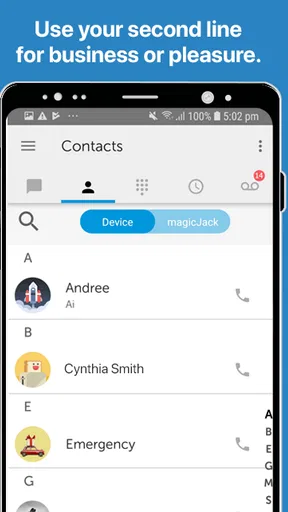
The user interface is clean and intuitive, which I absolutely love. No cluttered screens or unnecessary buttons – everything is where you’d expect it to be. The home screen features your recent calls and messages, making it easy to jump back into conversations. Whether you’re tech-savvy or not, navigating through the app is as smooth as butter.
Features Galore
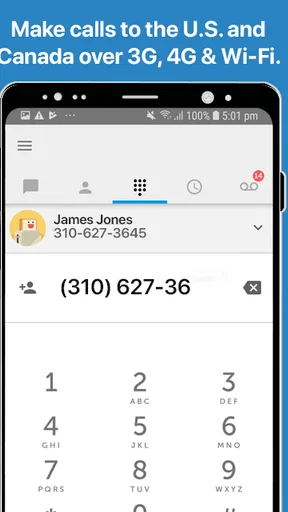
Now, let’s talk about the features. The app allows you to make unlimited calls to the U.S. and Canada, which is a big plus if you’ve got friends or family there. International calling rates are pretty competitive too, so you won’t break the bank keeping in touch with folks overseas.
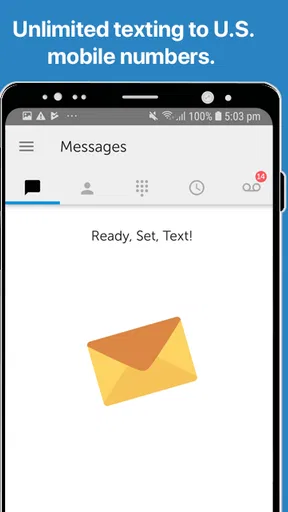
The messaging feature is robust, allowing you to send texts and even share photos. It’s perfect for those quick "hey, what’s up?" moments. And for those who love their privacy, the app supports number blocking and voicemail, so you’re in control of who gets to reach you.
Make the first useful call, then tune the routine
A realistic first-week use is a traveler who still wants to receive calls on a familiar number while away from their usual cellular coverage. Once the account is connected, the practical test is not simply whether the app opens; it is whether a call reaches you when you are on Wi-Fi or mobile data and whether you can call back without switching to another service. I would try this before leaving home, then repeat it on the kind of connection you expect to use while away.
There is a useful trade-off here: having a number available through an internet connection can help when cellular reception is unreliable, but it does not make the connection itself reliable. Wi-Fi congestion, weak mobile data, or a phone with limited data can still get in the way. If you often call for long stretches, check how those calls affect your data allowance rather than assuming an app-based call uses no mobile data.
One small workflow tip is to treat voicemail and blocking as part of setup, not as emergency tools you discover after unwanted calls begin. If you use the number for family as well as unfamiliar callers, review whom you block so you do not silence someone you need to hear from. And if you use the app for photos or texts, test those with a trusted contact first; a successful voice call does not automatically tell you how comfortable messaging will feel in your own routine.
Performance and Reliability
In terms of call quality, I was pleasantly surprised. The calls I made were crisp and clear, with no noticeable delays or drops. It feels like you’re using a regular phone line, which is exactly what you want from a calling app. The messaging side of things is just as reliable, with instant delivery and notifications ensuring you never miss a beat.
The app works over Wi-Fi and mobile data, so you’re always connected. However, keep an eye on your data usage if you’re not on an unlimited plan, especially if you’re making a lot of calls or sending plenty of pics.
Where it fits among calling and messaging options
Compared with ordinary carrier calling, magicApp’s appeal is its connection to a magicJack number and the ability to use it through Wi-Fi or mobile data. A standard mobile line may be the simpler choice if you want one service that works without depending on an internet connection. Compared with broad messaging platforms, this app is more relevant when phone-number calling and texting are the point; people who mainly want video chats, group conversations, or a shared social space may be happier with a different kind of app.
For someone who already has a magicJack setup, keeping the associated number close at hand can be more convenient than asking contacts to learn a new number. For someone who has no reason to use a magicJack number, the extra account and service relationship may be unnecessary friction. I would not install it solely because it is free if your existing phone plan already handles the calls you need and you have no particular reason to carry another number.
One question first-time users often have is whether the app is a complete substitute for a phone plan. I would treat it as a way to use the magicJack service on a mobile device, not as a guarantee that every normal mobile-phone task is covered. Another practical question is whether calls work when the phone has no internet access: because the app relies on Wi-Fi or mobile data, it is not the option to count on in an offline situation.
Who’s It For?
If you’re someone who travels frequently or lives in an area with spotty cellular coverage, magicApp can be a lifesaver. It’s also great for expats or anyone looking to cut down on their phone bill without sacrificing connectivity. And let’s not forget the peace of mind that comes with knowing you can block those pesky telemarketers!
That said, it may not be ideal if you’re looking for video calling or advanced messaging features like emojis and GIFs. But for straightforward calling and messaging, it ticks all the right boxes.
Choose it for the job it does well
I think it is especially worth considering for someone who already uses a magicJack number and wants a mobile way to stay reachable. It can also suit a household where one person needs that number while moving between home Wi-Fi and mobile data. The best test is personal and low-risk: connect the number, call someone you trust, and see whether the experience is convenient enough to keep using.
I would skip it if you need video calling, richer chat tools, or dependable calling in places where internet access is unavailable. It may also be a poor fit if you want to avoid managing another account or keeping track of a separate service. Those are not minor preferences; they can determine whether the app feels like a practical extension of your phone or one more thing to maintain.
For people weighing cost, the free download makes it easy to explore, but paid items are available through in-app purchases. Before paying for anything, check what the specific item covers and whether it matches the way you plan to call. International calling can be useful for keeping in touch across borders, yet rates and purchase details deserve a look before you make frequent calls. That quick check is a better way to avoid surprises than assuming all destinations are treated alike.
Final Thoughts
All in all, magicApp Calling & Messaging is a solid choice for anyone needing reliable communication without the cost of a traditional phone plan. It’s user-friendly, efficient, and delivers exactly what it promises. If you’ve been on the fence about trying out a new calling app, I’d definitely recommend giving this one a shot.
Remember, staying connected should be easy, and with magicApp, it really is. Happy calling!
Pros
- High-quality international calls.
- User-friendly interface.
- Affordable subscription plans.
- Works on multiple devices.
- No hidden fees.
Cons
- Limited free call minutes.
- Requires stable internet connection.
- Ads in the free version.
- Not all countries supported.
- Occasional call drops.
FAQs for magicApp Calling & Messaging
What is magicApp and how does it work?
magicApp is a VoIP (Voice over Internet Protocol) application that allows users to make calls and send messages over the internet. By using your existing Wi-Fi or mobile data connection, magicApp provides an alternative to traditional phone services, enabling calls to other magicApp users and phone numbers worldwide at competitive rates.
Is magicApp free to download and use?
Yes, magicApp is free to download on both Android and iOS devices. While the app offers free calling and messaging between magicApp users, there are charges for calling non-magicApp numbers. You can purchase credits or subscribe to plans for unlimited calls to the U.S. and Canada, depending on your needs.
Can I keep my existing phone number with magicApp?
magicApp allows users to port their existing phone numbers to the app, which means you can retain your current number when using the service. This feature is especially convenient for users who wish to maintain their contact information without notifying everyone of a new number.
What devices are compatible with magicApp?
magicApp is compatible with both Android and iOS devices. It supports a wide range of smartphones and tablets, ensuring that most users can benefit from its features. Ensure your device has an up-to-date operating system for optimal performance and access to the latest features.
How reliable is the call quality on magicApp?
The call quality on magicApp largely depends on your internet connection. A stable and strong Wi-Fi or mobile data signal will result in better audio clarity and fewer disruptions. Users generally report satisfactory call quality, but experiences may vary based on network conditions.


